Access Shopify Orders, Customers & Products Without Coding – A Complete No-Code Guide
If you run an online store, one of the biggest challenges is not just selling products but actually understanding what is happening inside your store—who your customers are, what they are buying, how orders are moving, and which products are performing well. Many people assume that accessing this data requires coding skills or technical setup, but that is no longer true. Today, it is possible to access and manage Shopify store data such as orders, customers, and products without writing a single line of code.
This shift is extremely powerful for store owners, marketers, and small business teams because it removes technical barriers and puts control directly into the hands of the people who actually run the business. In this article, we will explore how you can access Shopify store data without coding, why it matters, and how it can completely transform the way you make business decisions.
Understanding the Core Data of an Online Store
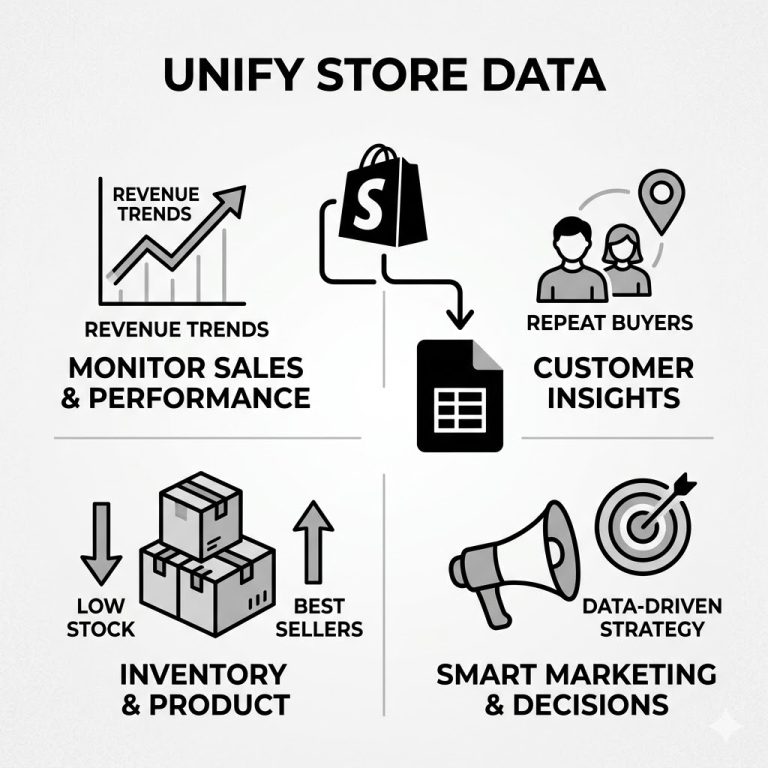
Before diving into the “how,” it is important to understand what kind of data we are talking about. Every Shopify store revolves around three main pillars:
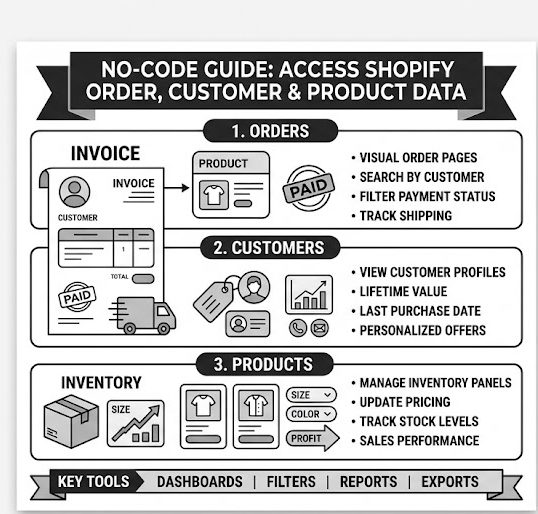
1. Orders
Orders represent every purchase made by a customer. Each order contains:
- Customer details
- Products purchased
- Payment status
- Shipping information
- Order timeline
Orders are essentially the heartbeat of your store because they reflect actual revenue.
2. Customers
Customer data includes:
- Names and contact details
- Purchase history
- Location
- Total spending
- Behavior patterns
This data helps you understand who your loyal customers are and how often they return.
3. Products
Product data includes:
- Product name and description
- Pricing
- Inventory levels
- Variants (size, color, etc.)
- Sales performance
This helps you identify which products are bestsellers and which are underperforming.
When these three data points are analyzed together, you get a complete picture of your business performance.
Why No-Code Access Matters
Earlier, accessing and analyzing store data required technical skills, developers, or complex integrations. That created a gap between data and decision-making.
No-code access changes that completely.
Here’s why it is important:
1. Saves Time
Instead of waiting for reports or technical setup, you can instantly see your store data.
2. Reduces Dependency
You don’t need a developer for every small change or report.
3. Faster Decision Making
When data is easily accessible, decisions like running discounts or adjusting inventory become quicker.
4. Easy for Non-Technical Teams
Marketing teams, store managers, and business owners can all access the same data without technical training.
How No-Code Access to Store Data Works
Without getting into technical complexity, modern Shopify stores offer built-in tools and visual interfaces that allow you to explore data easily.
Here are the main ways you can access orders, customers, and products without coding:
1. Using Built-In Dashboard Analytics
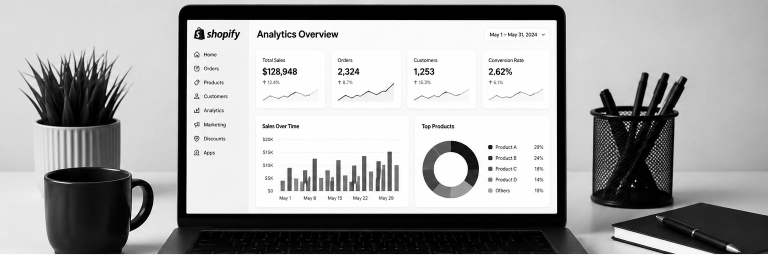
Every Shopify store comes with a built-in dashboard that displays key information in a simple visual format.
What you can see:
- Total sales
- Number of orders
- Returning customers
- Top-selling products
- Traffic sources
Why it is useful:
It gives you a real-time snapshot of your business without needing any setup.
For example, if you notice that a specific product suddenly has high sales, you can immediately increase stock or run ads for it.
2. Accessing Orders Through Visual Order Pages
Orders can be accessed directly through a structured list format.
You can:
- Search orders by customer name
- Filter by payment status (paid, pending, refunded)
- Track shipping progress
- View individual order details
Each order opens like a detailed report card showing everything in one place.
This makes it easy to handle customer service issues like refunds or delivery tracking without needing technical help.
3. Viewing Customer Profiles Easily
Customer data is organized into simple profiles.
Each customer profile typically shows:
- Total number of orders
- Lifetime value
- Last purchase date
- Contact details
- Notes or tags
This helps you identify:
- Loyal customers
- High-value buyers
- One-time shoppers
With this information, you can create personalized offers like discounts or loyalty rewards.
4. Managing Products Through Visual Inventory Panels
Product management is one of the easiest parts of Shopify’s no-code system.
You can:
- Add or remove products
- Update pricing
- Change product descriptions
- Track stock levels
- Organize products into collections
Everything is done through simple forms and dropdown menus.
For example, if a product is running low in stock, you can update inventory in seconds without any technical steps.
5. Filtering and Searching Data Easily
One of the most powerful no-code features is filtering.
You can filter:
- Orders by date
- Customers by location
- Products by sales performance
This allows you to quickly answer questions like:
- What sold the most last month?
- Who are my top 10 customers?
- Which products have zero sales?
Instead of analyzing raw data, you simply apply filters and get instant answers.
6. Exporting Data for Reports
Even without coding, you can export your store data into spreadsheets.
This helps when you want to:
- Share reports with your team
- Analyze performance in detail
- Track monthly growth
Exported data usually includes orders, customers, or product lists in structured format.
7. Using Visual Reports and Charts
Modern store systems automatically convert raw data into charts and graphs.
You can see:
- Sales trends over time
- Product performance comparison
- Customer growth rate
Visual data is much easier to understand than raw numbers, especially for business decisions.
Real-World Example
Imagine you run a fashion store.
Without technical tools, you can still discover:
- A specific dress is your top-selling product
- Most customers buying it are from a specific city
- Sales increase during weekends
Based on this, you can:
- Run weekend promotions
- Target ads in that city
- Increase stock of that dress
All of this is possible without coding, just by using visual data access.
Benefits for Business Growth
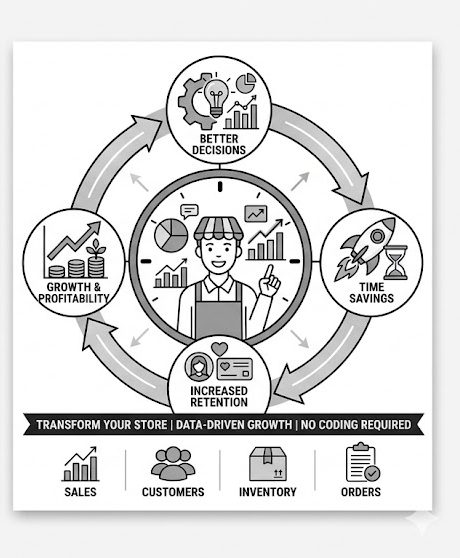
No-code access to orders, customers, and products is not just about convenience. It directly impacts growth.
1. Better Marketing Decisions
You can target the right customers with the right offers.
2. Improved Inventory Management
You avoid overstocking or running out of products.
3. Increased Customer Retention
Understanding customer behavior helps you build loyalty programs.
4. Higher Profitability
Data-driven decisions reduce waste and increase sales efficiency.
Common Mistakes to Avoid
Even with easy access, many store owners make mistakes:
1. Ignoring Data Regularly
Checking data only once a month is not enough.
2. Not Using Filters Properly
Without filtering, data can feel overwhelming.
3. Not Acting on Insights
Data is useless if you don’t take action.
4. Overlooking Customer Patterns
Many businesses focus only on sales, not customer behavior.
Future of No-Code Store Management
The future of e-commerce is moving toward complete simplicity. Store owners will increasingly rely on visual dashboards, smart filters, and automated insights rather than technical systems.
Soon, you will be able to:
- Predict best-selling products
- Automatically segment customers
- Get instant business suggestions
The goal is simple: make business intelligence accessible to everyone.
Final Thoughts
Accessing Shopify orders, customers, and products without coding has completely changed how online businesses operate. It removes technical barriers, speeds up decision-making, and empowers store owners to focus on growth instead of complexity.
You don’t need to be a developer to understand your business anymore. Everything you need is already available in simple, visual, and easy-to-use formats.
The real power is not in collecting data—but in understanding it and using it to make smarter decisions.