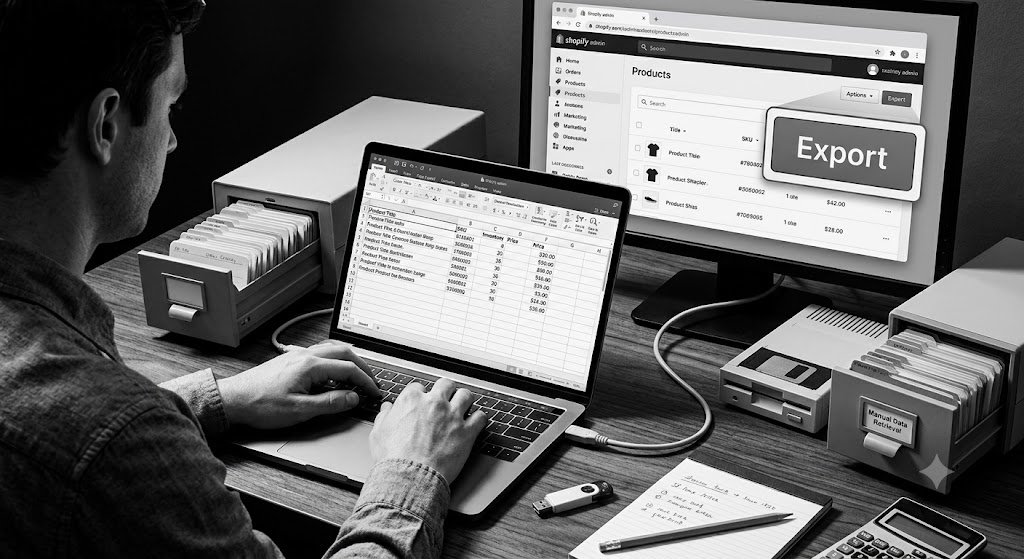
Shopify Data to Excel Without API: The Simple No-Code Solution for Every Merchant
Need to get your Shopify orders, products, customers, or inventory data into Excel but dread dealing with APIs, complicated setups, or technical exports? Many Shopify store owners face this exact frustration. They want clean, organized data in familiar spreadsheet format for analysis, reporting, or sharing — without the headache of coding or complex integrations. The good news is that pulling Shopify data to Excel without using APIs is now remarkably simple and accessible to everyone.
In this comprehensive guide, you’ll discover how to export Shopify data to Excel without API complications. Learn the limitations of traditional methods, why easy no-code export matters, and how Fetch Bloom — the ultimate AI-powered simple insights tool built for Shopify — makes transferring your store data to Excel effortless, organized, and incredibly powerful for your business.
Why Exporting Shopify Data to Excel Remains Essential
Excel continues to be one of the most popular tools for business analysis, financial reporting, inventory tracking, and team collaboration. Being able to move Shopify data into Excel allows you to:
- Build custom dashboards and pivot tables
- Perform advanced calculations and forecasting
- Share clean reports with accountants or team members
- Combine Shopify data with information from other sources
- Create professional presentations for investors or partners
- Maintain flexible, personal control over your data analysis
Without an easy way to get Shopify data into Excel without APIs, merchants waste hours on manual workarounds or miss out on deeper analysis altogether.
The Problems with Traditional API-Based Exports
Most traditional methods for getting Shopify data to Excel come with significant drawbacks:
1. Technical Complexity
API connections require coding knowledge, authentication setup, and ongoing maintenance.
2. Time-Consuming Setup
Even simple exports can take hours or days to configure properly.
3. Fragile and Unreliable
API connections often break, requiring repeated fixes and troubleshooting.
4. Limited Flexibility
Getting exactly the right combination of fields and relationships is difficult.
5. High Learning Curve
Non-technical merchants feel completely blocked from accessing their own data effectively.
The Simple Way with Fetch Bloom: No API needed, clean organized Excel exports, instant results, and complete ease.
The Benefits of Easy No-API Shopify Data Export to Excel
When you can move Shopify data to Excel without APIs, everything becomes simpler and more powerful. You gain freedom to analyze data in the familiar spreadsheet environment while maintaining full control. Teams collaborate better with shared, clean files. Decisions happen faster because insights are readily available in a format everyone understands.
Psychologically, removing technical barriers reduces stress and builds confidence. Merchants feel empowered to explore their data deeply without depending on developers or complicated tools. This shift from frustration to flow often leads to more consistent analysis, better business decisions, and faster growth.
How Fetch Bloom Makes Shopify Data to Excel Export Simple and Powerful
Fetch Bloom eliminates the need for APIs entirely. It connects directly to your Shopify store and lets you pull exactly the data you need into clean, ready-to-use Excel formats using simple, natural language instructions.
Key No-API Export Features:
- Natural Language Requests: Simply describe what you want — “Export all orders last month with customer details to Excel”
- Intelligent Data Organization: Automatically structures information with proper columns and relationships
- Complete Context: Includes orders, line items, customer info, and custom fields cleanly
- Excel-Optimized Output: Files formatted perfectly for immediate analysis in spreadsheets
- Bulk Export Capability: Handle large datasets without performance issues
- Scheduled Automation: Set up regular exports that deliver fresh Excel files automatically
Step-by-Step: Exporting Shopify Data to Excel Without API
- Connect Your Shopify Store: Secure integration completed in minutes with no technical setup required.
- Describe Your Export Needs: Use plain English to specify exactly which data you want in Excel.
- Apply Filters: Narrow down by date range, customer segment, product type, or other criteria.
- Generate the Export: Fetch Bloom intelligently organizes and prepares your data.
- Download Excel File: Receive a clean, well-structured spreadsheet ready for use.
- Save Your Template: Reuse successful export requests with one click in the future.
- Automate Regular Exports: Set up recurring deliveries of fresh Excel files.
This intuitive workflow makes professional data export to Excel accessible to every Shopify merchant, regardless of technical background.
Real Results: Merchants Transforming Their Data Workflow
Success Story
“Exporting Shopify data to Excel was always a nightmare for me. I would spend entire days trying to get clean files for my accountant and marketing team. Fetch Bloom made it incredibly simple. I can now pull any data I need into perfectly organized Excel files using simple descriptions. No APIs, no coding, no mess. My monthly reporting takes minutes instead of days. I’ve built custom analysis dashboards that help me make better inventory and marketing decisions. The time and frustration I’ve saved has been incredible for my growing fashion store.”
— Elena Vargas, Founder of Coastal Charm Fashion Shopify Brand
Practical Use Cases for Shopify Data to Excel Export
Financial Reporting: Export sales, refunds, and taxes for easy bookkeeping.
Inventory Analysis: Track stock levels, sell-through rates, and reorder needs.
Customer Segmentation: Build targeted lists for marketing campaigns.
Product Performance: Analyze profitability and trends across your catalog.
Business Planning: Gather comprehensive data for strategic decisions and presentations.
These real-world applications show how easy Excel export becomes a daily advantage for your store.
Advanced Strategies for Maximizing Your Excel Exports
- Create reusable export templates for your most common reporting needs
- Combine multiple data types for richer, multi-dimensional Excel analysis
- Use date range filters to build historical trend reports
- Automate weekly or monthly Excel deliveries for consistent visibility
- Enhance exported data with simple spreadsheet formulas and charts
- Share clean Excel files securely with your team or external partners
The Competitive Advantage of Easy No-API Data Export
Merchants who can easily move Shopify data to Excel gain significant flexibility and analytical depth. They maintain professional reporting standards, collaborate more effectively, and make data-driven decisions with confidence. In competitive e-commerce markets, this ease of data movement becomes a real advantage that supports faster growth and better operational control.
Getting Started: Export Shopify Data to Excel Today
Getting your Shopify data into Excel has never been easier. Connect your store to Fetch Bloom and try your first simple export today — perhaps recent orders or top products. You’ll immediately see how clean and useful the resulting Excel file is. Build from these quick wins and gradually create more sophisticated reporting workflows that support your business growth.
Conclusion: Make Exporting Shopify Data to Excel Effortless
Getting Shopify data into Excel should never require complex APIs or technical expertise. Your focus should be on analysis and growth — not fighting with export tools. Modern no-code solutions make professional data export simple, fast, and reliable for every merchant.
Fetch Bloom delivers the easiest and most powerful way to export Shopify data to Excel without APIs. Through natural language commands, intelligent organization, and clean output, it removes every traditional barrier and lets you focus on what matters most — building a successful business.
Stop struggling with difficult exports and limited visibility. Start enjoying clean, organized Excel files that give you complete control over your store data and insights.
Your Shopify store contains valuable intelligence. Make it work for you by pulling it into Excel effortlessly and putting it to strategic use.
Ready to experience truly simple Shopify data export to Excel? Visit fetchbloom.com today and discover how easy and powerful no-API data export can be.
© 2026 Fetch Bloom. All rights reserved.