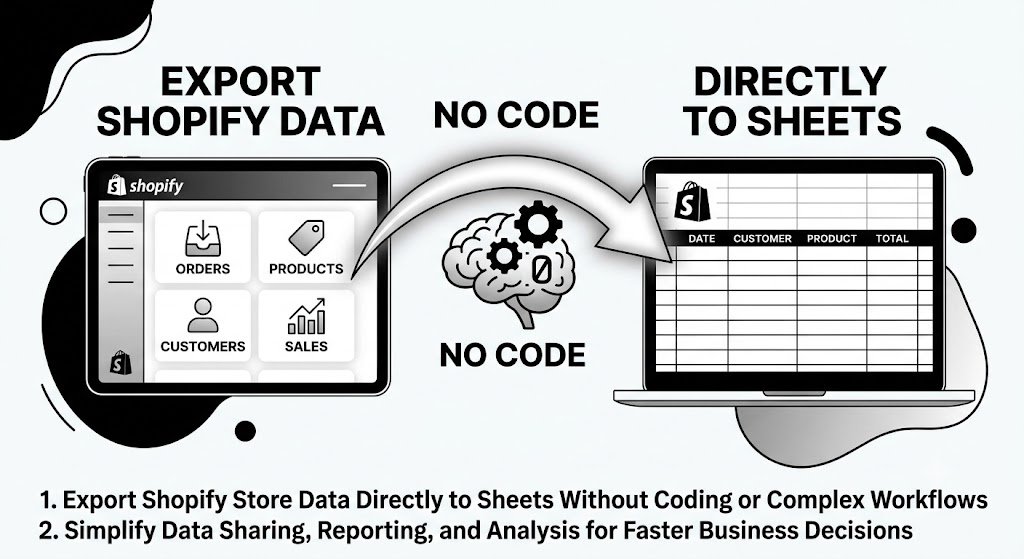
Export Shopify Data to Sheets No Code: The Simple Way to Unlock Your Store Insights
Want to analyze your Shopify sales, inventory, customers, or marketing data in Google Sheets but dread the technical hassle of APIs, complex exports, or manual CSV cleaning? Many Shopify merchants struggle with exporting their store data into spreadsheets for deeper analysis, custom reporting, or team collaboration. The good news is that no-code solutions now make exporting Shopify data to Sheets effortless, accurate, and accessible to everyone — without writing a single line of code.
In this comprehensive guide, you’ll discover everything about exporting Shopify data to Sheets using a no-code approach. We’ll cover the challenges most merchants face, why clean spreadsheet exports matter, and how Fetch Bloom — the ultimate AI-powered simple insights tool built for Shopify — makes no-code data export to Sheets fast, organized, and incredibly powerful for growing your business.
Why Exporting Shopify Data to Sheets Is Essential
Shopify provides excellent built-in analytics, but many merchants need more flexibility. Exporting data to Sheets allows you to:
- Create custom dashboards and reports
- Combine data from multiple sources
- Perform advanced calculations and forecasting
- Share clean insights with your team or accountant
- Track trends over time with personalized views
- Prepare data for presentations or business planning
Without an easy no-code method, this valuable process becomes time-consuming and frustrating, holding back your ability to make data-driven decisions.
Common Challenges with Traditional Shopify Data Export to Sheets
Most merchants encounter these frustrating obstacles:
1. Technical Complexity
Using APIs or third-party connectors often requires coding knowledge or complicated setup.
2. Messy and Incomplete Exports
Raw CSV files need hours of cleaning, formatting, and relationship mapping.
3. Time-Consuming Manual Work
Exporting large datasets for orders, products, or customers can take days.
4. Limited Control
Difficulty selecting exactly the right fields or combining related data like metafields with sales.
5. Frequent Updates Required
One-time exports quickly become outdated, forcing repetitive work.
The No-Code Way with Fetch Bloom: Clean, organized exports to Sheets in minutes with full context preserved.
The Business and Psychological Benefits of Easy No-Code Export
When exporting Shopify data to Sheets becomes simple, everything changes. You gain freedom to explore data deeply without friction. Teams collaborate better with shared, clean spreadsheets. Decisions happen faster because insights are always accessible in a familiar format.
Psychologically, removing technical barriers reduces stress and builds confidence. Merchants feel empowered rather than overwhelmed. The ability to quickly turn store data into organized Sheets creates a sense of control and momentum that fuels business growth.
How Fetch Bloom Makes No-Code Shopify Data Export to Sheets Effortless
Fetch Bloom transforms the entire process. It connects directly to your Shopify store and lets you export precisely the data you need into clean, ready-to-use spreadsheet formats — all through simple natural language.
Key No-Code Export Features:
- Natural Language Selection: Describe what you want — “Export all orders with customer details and revenue for last 90 days”
- Smart Data Organization: Automatically structures information with proper columns and relationships
- Complete Context: Includes metafields, tags, line items, and other custom data cleanly
- Multiple Format Options: Direct export optimized for Google Sheets or downloadable CSV
- Bulk Capability: Handle thousands of records without performance issues
- Scheduled Exports: Set up automatic recurring exports to keep your Sheets always up-to-date
Step-by-Step: Export Shopify Data to Sheets No Code with Fetch Bloom
- Connect Your Shopify Store: Secure integration completed in under two minutes.
- Describe Your Needs: Use plain English to specify exactly which data you want exported.
- Customize the Export: Add filters, date ranges, or specific fields easily.
- Generate the Export: Fetch Bloom organizes and prepares the data intelligently.
- Export to Sheets: Get a clean file ready to open directly in Google Sheets or download.
- Refine and Save: Adjust and save your export template for future one-click use.
- Automate Ongoing Syncs: Set up regular updates so your Sheets stay fresh automatically.
This intuitive workflow makes exporting Shopify data to Sheets accessible to complete beginners and power users alike.
Real Results: Merchants Transforming Their Workflow
Success Story
“Exporting my Shopify data to Google Sheets used to be a nightmare. I would spend entire weekends cleaning messy CSVs just to create basic reports. Fetch Bloom changed everything. I can now export exactly the data I need — orders, customer insights, inventory levels — in perfectly organized format ready for Sheets. My monthly performance reviews are now done in minutes instead of days. I’ve built custom dashboards that help me make better decisions, and my team finally has access to clean data. Revenue tracking and planning have never been easier.”
— James Rodriguez, Founder of UrbanThread Apparel Shopify Brand
Practical Use Cases for No-Code Shopify Data Export to Sheets
Financial Reporting: Export sales, refunds, and taxes for easy bookkeeping and tax preparation.
Inventory Analysis: Track stock levels, sell-through rates, and reorder suggestions in dynamic Sheets.
Customer Segmentation: Build targeted lists based on purchase history and behavior.
Marketing Performance: Analyze campaign ROI and customer acquisition costs.
Product Performance: Compare variants, profitability, and trends across your catalog.
These use cases show how easy export unlocks deeper analysis and smarter business strategies.
Advanced Tips for Maximizing Your No-Code Exports
- Create reusable export templates for your most common reporting needs
- Combine multiple data types (orders + customers + products) in single organized exports
- Use date range filters to build historical trend analysis in Sheets
- Set up automated weekly or monthly exports for always-fresh dashboards
- Learn simple spreadsheet formulas to enhance your exported data further
- Share exported Sheets securely with your accountant, team, or partners
The Competitive Advantage of Easy No-Code Data Export
Merchants who can quickly export Shopify data to Sheets gain significant flexibility and insight depth. They respond faster to market changes, optimize operations continuously, and maintain professional-level reporting without hiring expensive analysts. This capability becomes a powerful competitive edge as your business scales.
Getting Started with No-Code Shopify Data Export to Sheets
Transforming how you work with your store data is simpler than you think. Connect your Shopify store to Fetch Bloom and try your first export today. Start with something basic like recent orders or top products. You’ll immediately see how clean and useful the resulting spreadsheet is. Build from there — the more you export, the more value you’ll discover in your data.
Conclusion: Take Control of Your Shopify Data Today
Exporting Shopify data to Sheets no longer needs to be a technical headache. With modern no-code solutions, you can access clean, organized, and actionable data in your favorite spreadsheet tool whenever you need it.
Fetch Bloom makes this process natural, intelligent, and lightning-fast. By combining powerful AI organization with simple natural language commands, it removes all traditional barriers and lets you focus on analysis and growth instead of data wrangling.
Stop struggling with messy exports and limited visibility. Embrace the freedom of effortless no-code data export to Sheets and unlock deeper insights that drive real business growth.
Your Shopify store contains valuable intelligence waiting to be used. Give yourself the gift of easy access through clean spreadsheet exports and watch your decision-making and results improve dramatically.
Ready to simplify your Shopify data export to Sheets? Visit fetchbloom.com today and experience the easiest way to turn your store data into powerful, organized spreadsheets.
© 2026 Fetch Bloom. All rights reserved.